
RevDeBug
Transforming a dense reverse-debugging tool into a clearer Visual Studio extension for developers who needed to find actions and state faster.
A redesign that shifted RevDeBug from an internal engineering utility to a globally usable product with clearer workflows, stronger discoverability, and less setup friction.
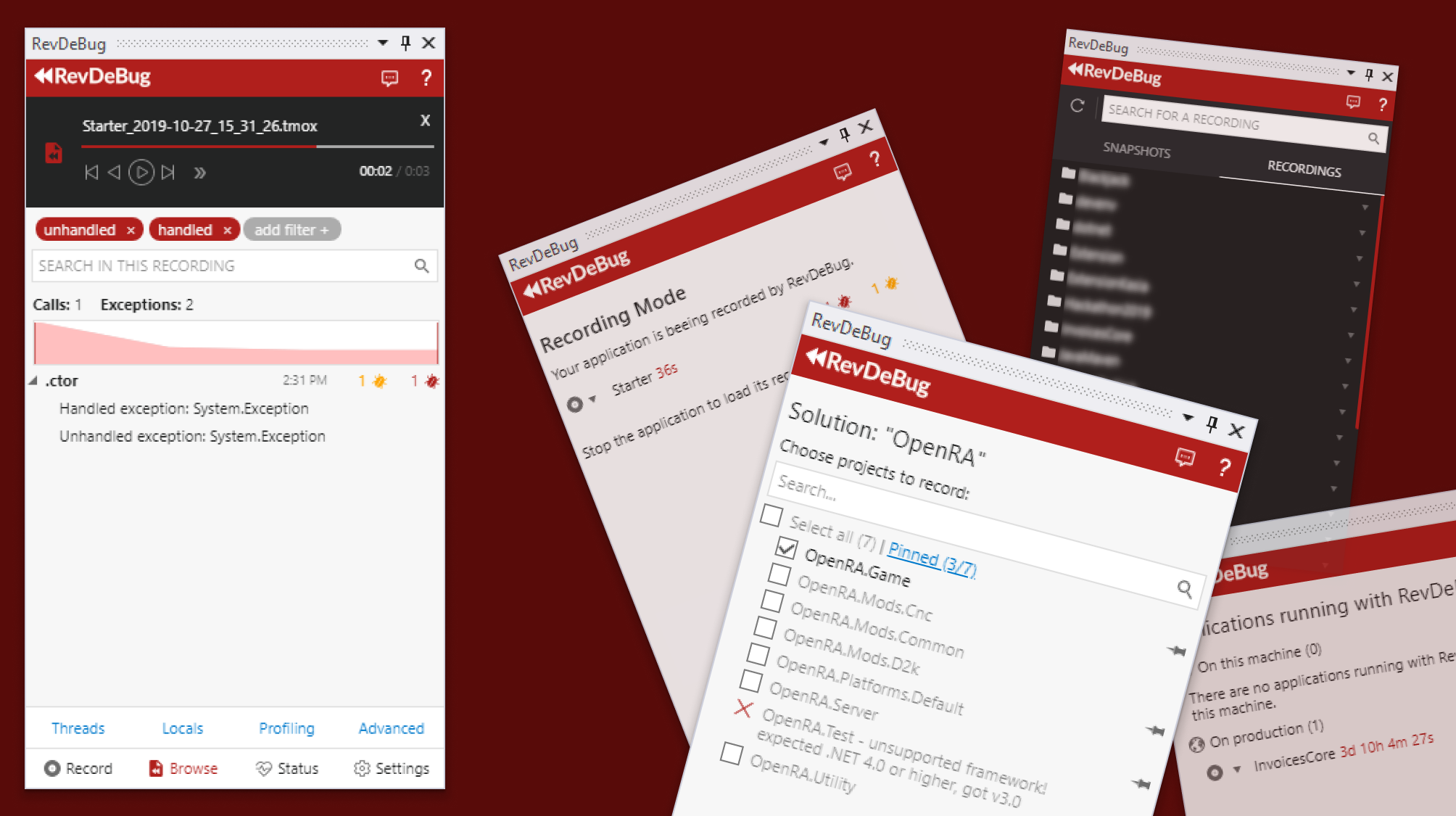
Project Overview
As the sole product designer at RevDeBug, I was tasked with revitalizing our Visual Studio extension panel. The objective was to transform a technically dense, developer-focused tool into an interface that was usable, learnable, and efficient in day-to-day workflows.
That meant working inside engineering constraints while making the product easier for developers to discover, understand, and reuse.
The approach prioritized evidence over assumptions, with each redesign decision tied to observed usability friction.
Tools: HTML5, XAML, SCSS, Gimp, Git, JavaScript, jQuery
The Challenge
RevDeBug started as an internal tool built by backend developers. Once released globally, usability gaps became a significant barrier to adoption and task completion.
- Poor discoverability of the newly installed extension within Visual Studio
- Scattered functionality across the interface
- A complex, multi-step process to access the main feature
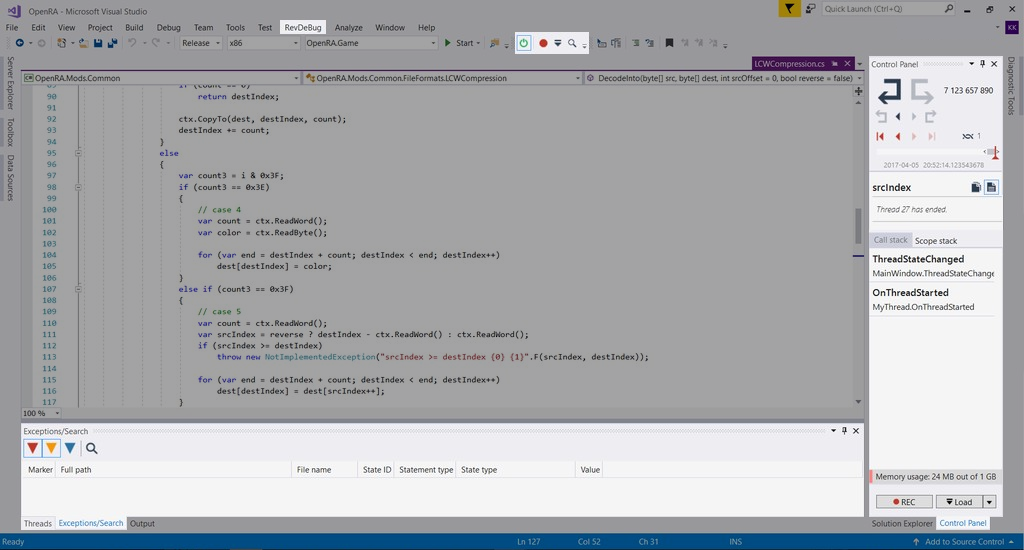
My Role
As the sole designer, I was responsible for:
- Initial design and ideation
- User research and interviews
- UX design and iteration
- Frontend development
- Collaboration with backend developers and product managers
Process
1. Research and Discovery
To establish a reliable baseline, I ran user interviews, usability tests, and behavior analysis on the existing panel. This clarified where users were blocked and which workflows required structural redesign.
- User interviews to understand pain points and needs
- Usability tests of the existing interface
- Analysis of user feedback and behavior patterns
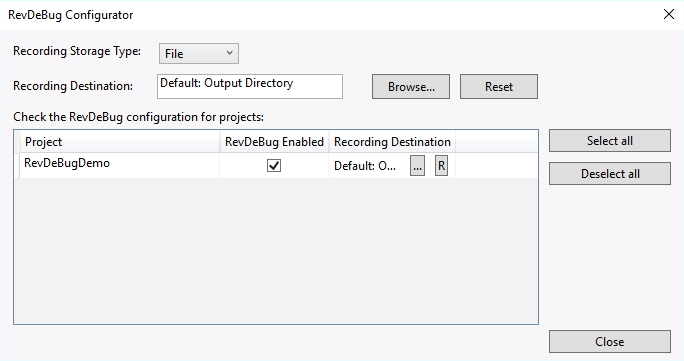
2. Initial Simplification
We introduced a "3 steps to get a recording" model to reduce setup friction and make the primary path explicit for new and returning users.
3. Major UX/UI Overhaul (Version 4.0)
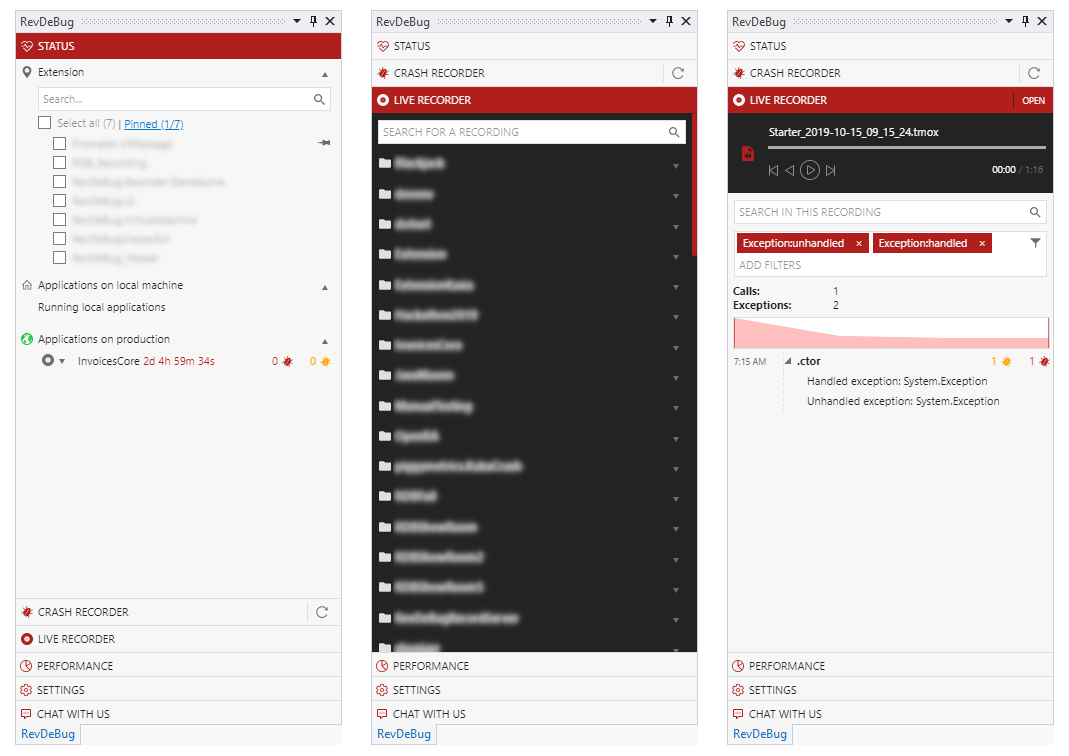
I introduced an accordion-based information architecture to improve scanability and progressive disclosure for complex technical options.
4. Continuous Improvement
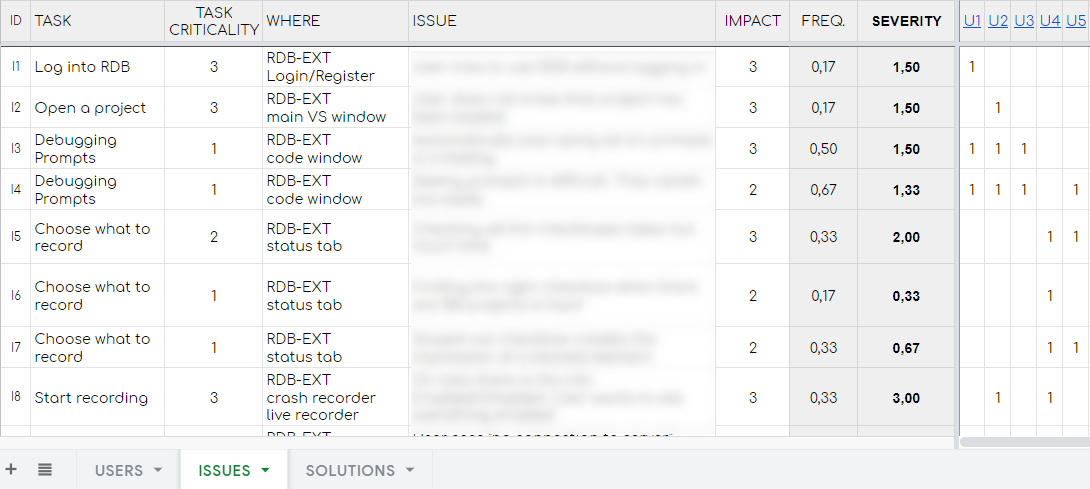
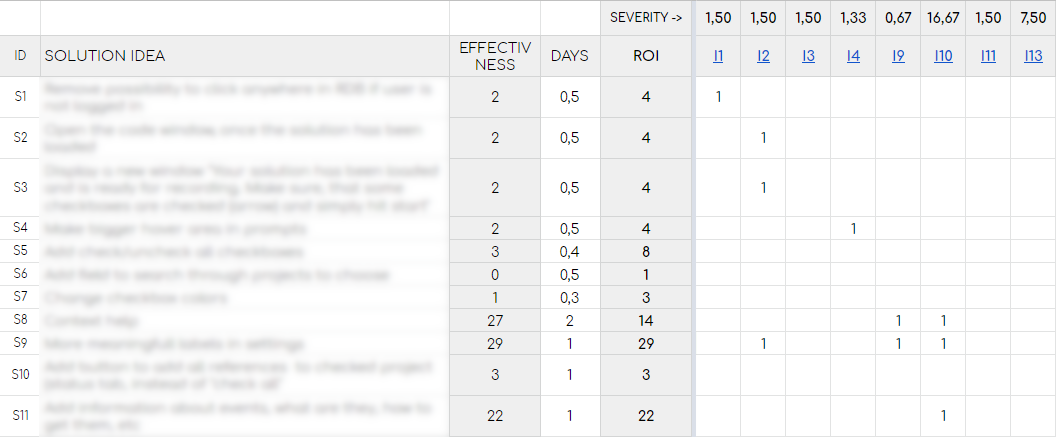
Post-release testing identified remaining high-friction areas. I classified issues by severity and translated findings into targeted redesign priorities.
5. Final Redesign
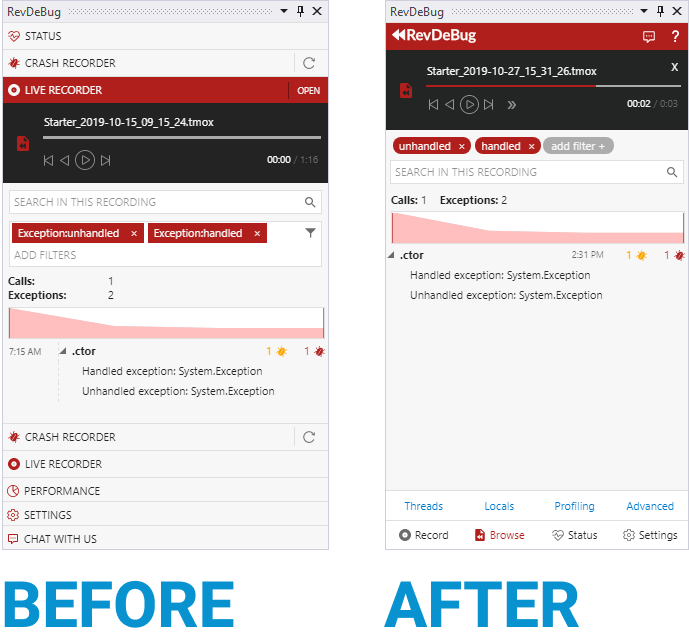
Based on user evidence, I proposed a final model that consolidated core functions into the right panel and replaced accordion navigation with explicit action-based paths.
- Consolidated all functionalities into the right panel
- Replaced the accordion with clear action-based navigation
- Simplified the interface by removing non-essential elements
- Reorganized information to align with user goals and workflows
Key Design Decisions
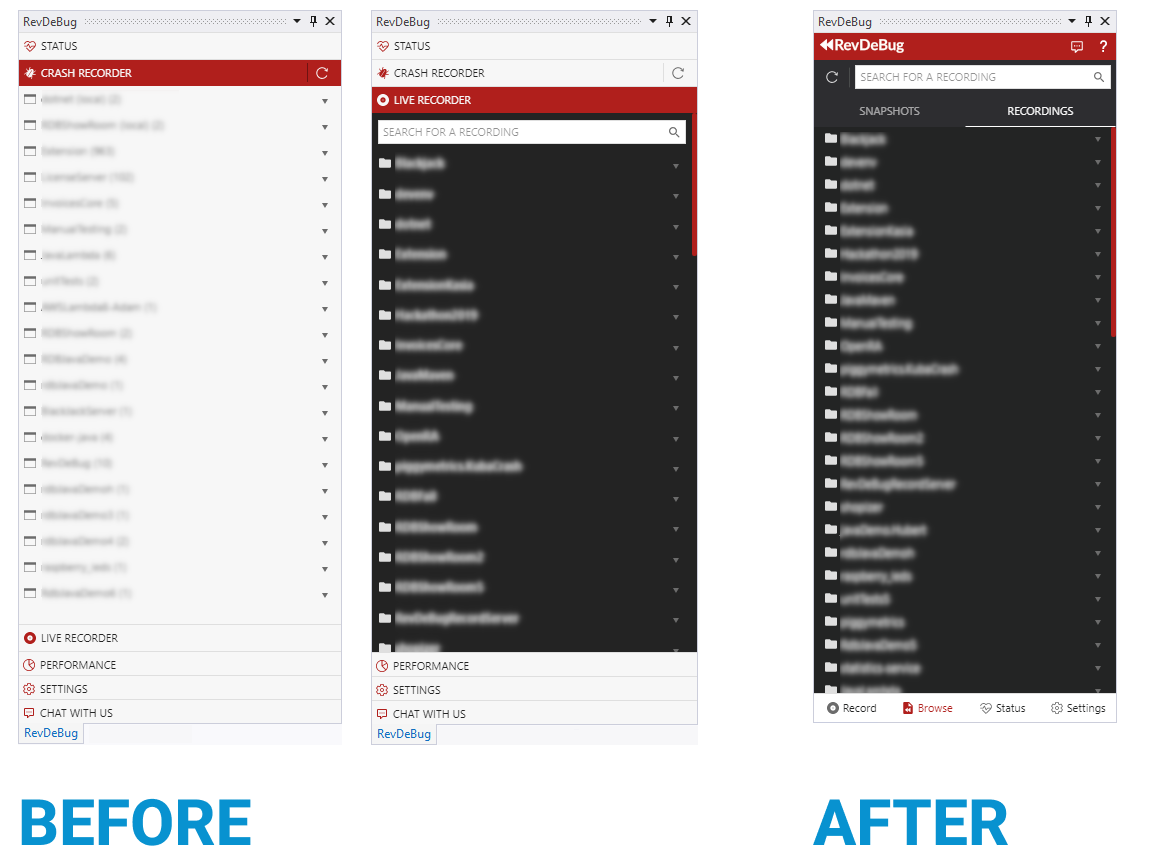
- Created a clear three-action navigation: Record, Load, and Check Status
- Separated the solution status from the overall application status
- Combined "Crash recorder" and "Live recorder" into a single "Browse" window
- Improved the visibility and accessibility of detailed windows and filtering options
- Added informative in-between views to keep users updated on ongoing processes
Outcomes and Impact
While still in internal testing, the redesign showed promising directional impact:
- Increased user comprehension of the interface
- Higher user satisfaction and preference over the older version
- Improved discoverability of key features
- Improved alignment between product and engineering on what users needed first
Key Learnings
- Continuous user testing and feedback incorporation are critical in technical products
- Power-user depth must be balanced with first-use clarity and orientation
- Navigation should reflect user goals rather than implementation architecture
- Iterative simplification is often the highest-leverage strategy in complex environments
Conclusion
The RevDeBug redesign shows how a deeply technical developer tool can be reframed into a clearer and more usable product experience through evidence-led iteration. As the sole designer, I led end-to-end UX transformation while collaborating cross-functionally to align user value with delivery constraints.